Create Your First Trading Bot
This guide walks you through creating your first automated trading bot step-by-step.
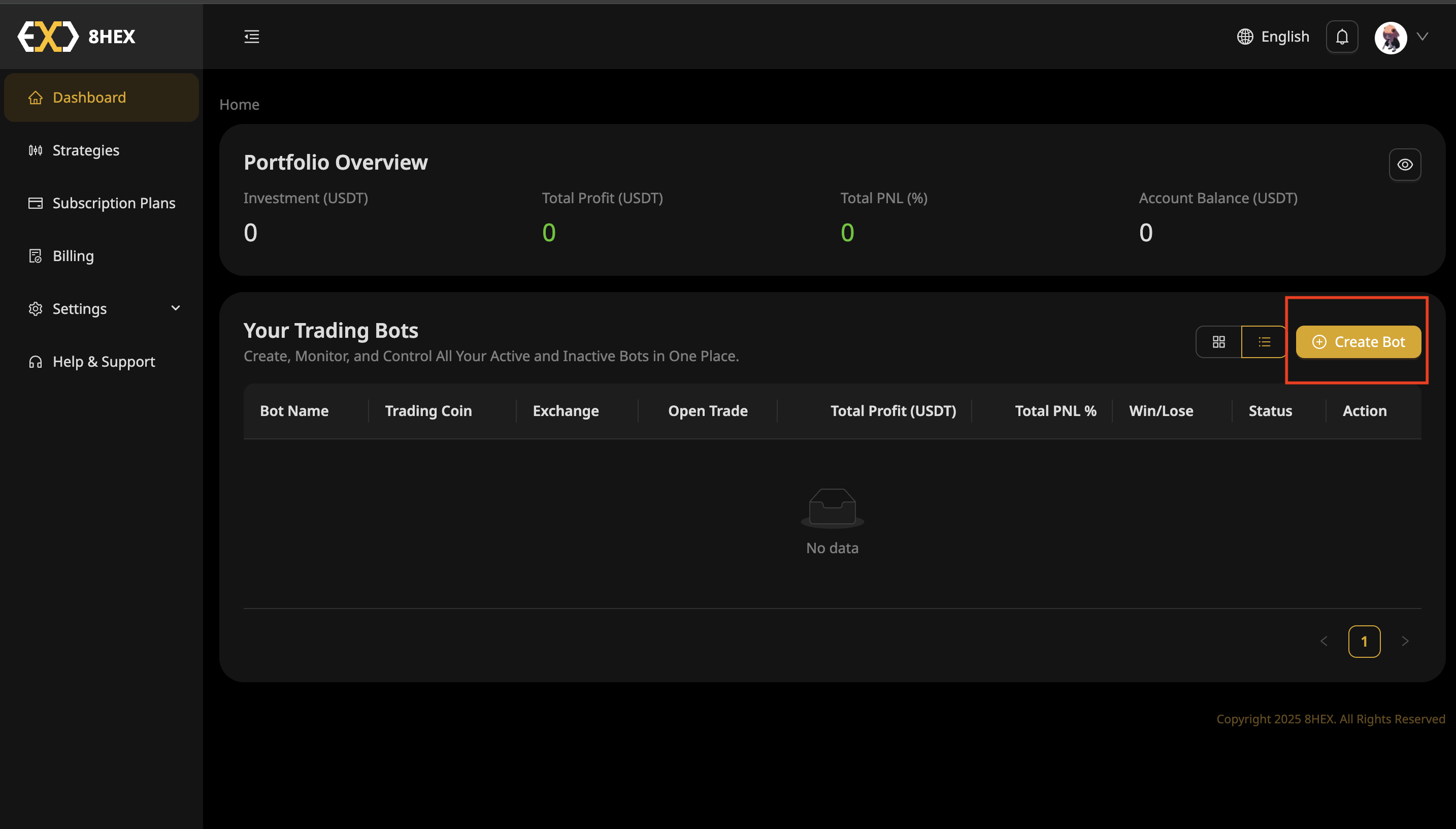
Step 1: Navigate to Your Dashboard
Go to the Dashboard and click Create Bot to begin.
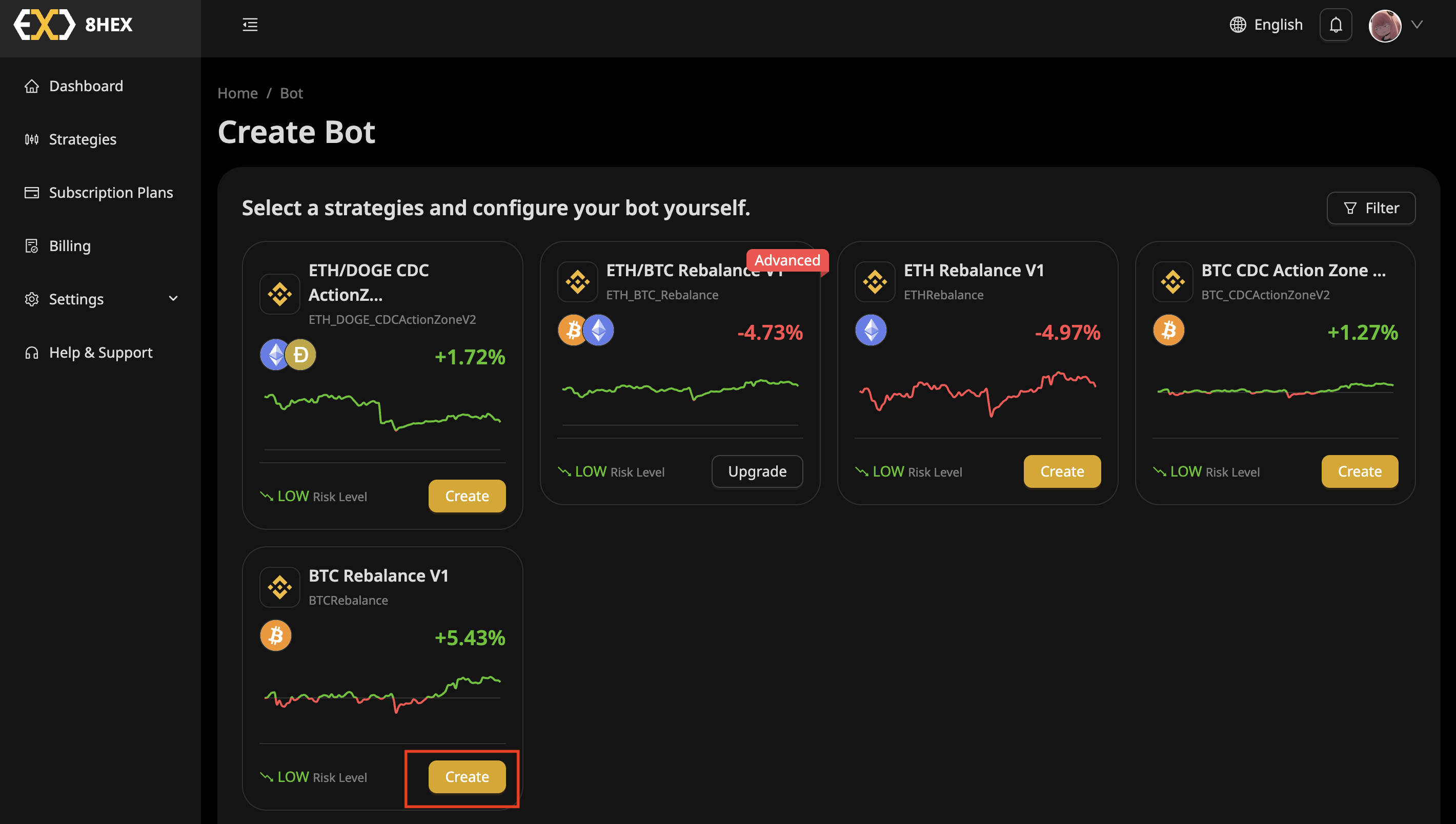
Step 2: Choose a Strategy
Select a trading strategy suitable for your preferences and risk level, then click Create.
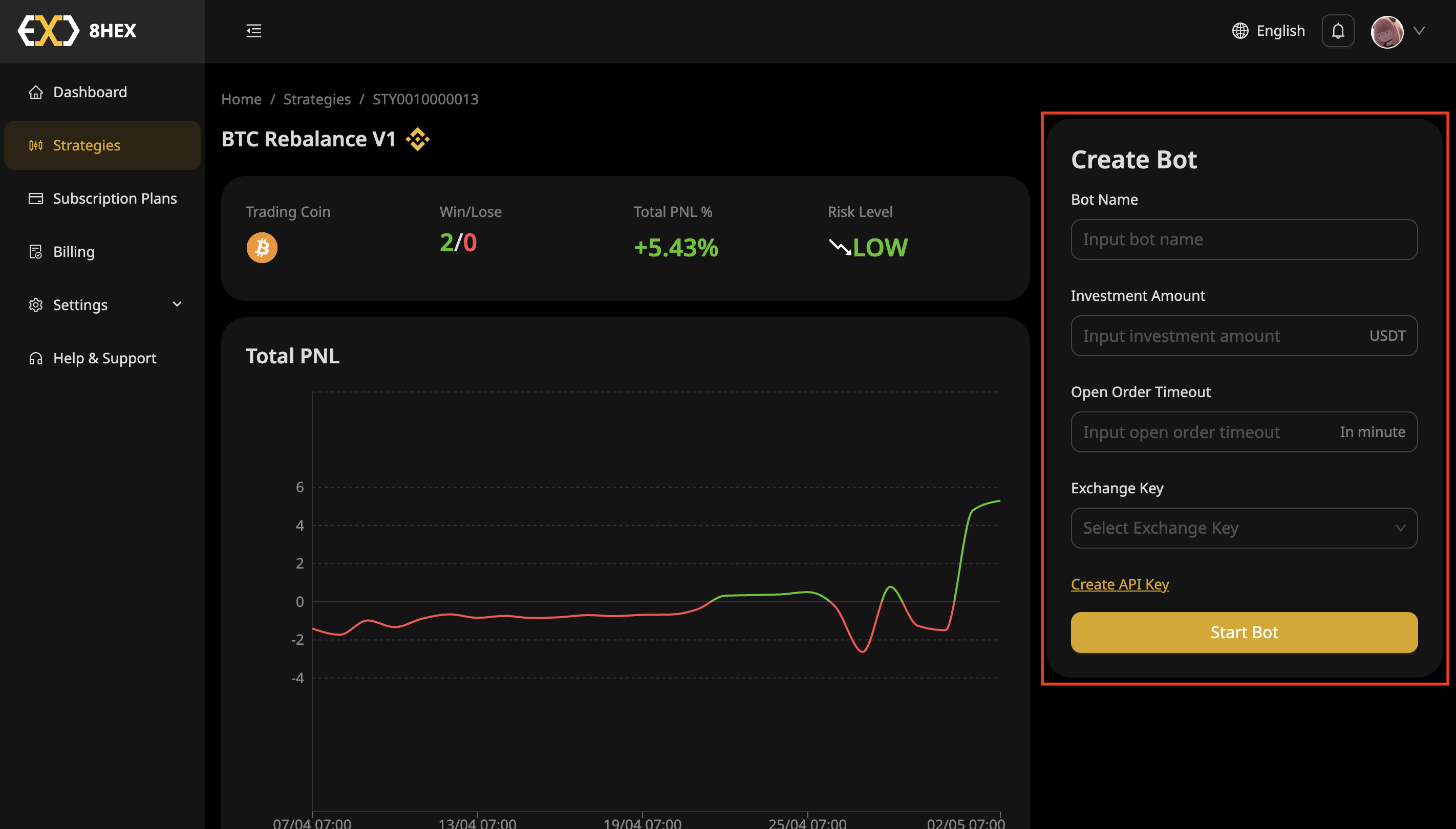
Step 3: Configure Your Bot
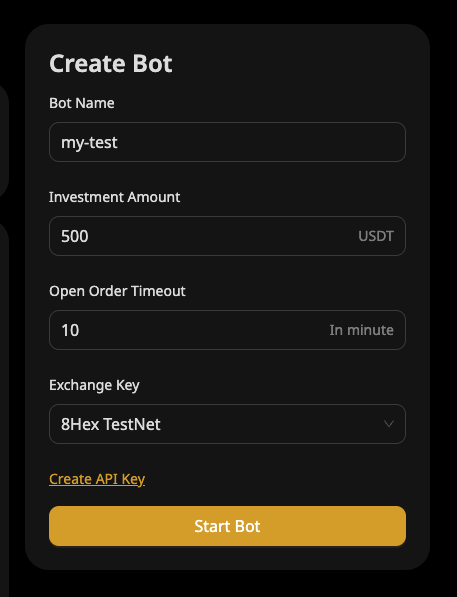
Enter your bot's configuration details:
- Bot Name: Provide a recognizable name.
- Investment Amount: Specify how much you'd like the bot to manage.
- Open Order Timeout: Enter a timeout for open orders (in minutes).
Step 4: Select Exchange API Key
Under Exchange Key, select your previously created API Key from the dropdown menu.
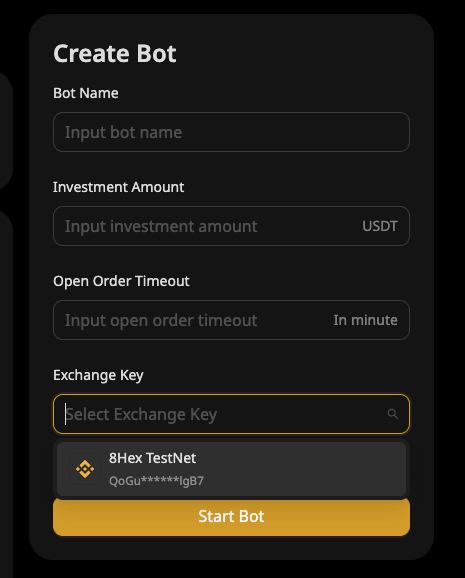
Here's an example of how a completed configuration might look:
Step 5: Launch Your Bot
Click Start Bot to activate your bot. Your bot will now start managing your trading based on the chosen strategy.
Step 6: Verify Bot is Active
After launching, your new bot will appear in the Your Trading Bots section, showing its current status as Active.

Congratulations! Your first trading bot is now live and trading automatically.